
The best times tables apps for kids in 2026
The best times tables apps for kids in Australia in 2026 are Spots (calm, no clock, and it shows why each answer is right), MathHero (a game with a story) and Times Tables Rock Stars (if your child's school already uses it). On Android, Hit the Button Maths and MathHero are good picks.
Updated: October 2026. Spots is our app, so we list it first; we chose the others by checking them in the Australian App Store and reading parent reviews, and no app pays us to be on this page.
-
1. Spots (our app)
Salimov Studios · iPhone, iPad
Best for: Understanding each table, with no clock
What’s good: Every table starts with ladybugs, so your child sees why 4 × 5 = 20 before practising it from memory, and a wrong answer shows the counting that leads to the right one. Parents get a fact map of all 55 facts, a weekly card and Year 3 and Year 4 certificates.
Worth knowing: It is brand new (October 2026), covers the tables from 1 to 10 plus division, and runs only on iPhone and iPad.
-
2. MathHero (Engaging Times Tables)
MathHero Pte. Ltd. · iPhone, iPad, Android
Best for: Children who love a game with a story
What’s good: A cute character, a light space adventure and outfits to unlock keep many children playing, and parents often say their child learned the tables quickly. There are no ads.
Worth knowing: Some parents say the character walks slowly between questions and the tables open in a set order, so a child can't jump straight to the 7s.
-
3. Times Tables Rock Stars
Maths Circle Ltd · iPhone, iPad, Android
Best for: Children whose school already uses it
What’s good: Children enjoy their rock avatar, coins and class battles, and one Australian parent said their Year 3 child nearly mastered tables 1 to 12 in under a month. There are no ads.
Worth knowing: It is built around speed, and some parents say speed ranks such as “Wannabe” upset their child.
-
4. Hit the Button Maths
Topmarks Online Ltd · iPhone, iPad, Android, web browser
Best for: Quick practice, also on Android and the web
What’s good: Minute-long games cover times tables, division, doubling, halving and number bonds, and the app adds an untimed mode, player profiles and trophies, with scores kept on the device.
Worth knowing: The games race the clock unless you choose untimed practice, and the free web version shows ads.
-
5. Multiplication: Times Tables
Chimpanzee, LLC · iPhone, iPad
Best for: Simple drills with a one-time unlock
What’s good: Simple and clean, with per-table stats that show which facts to work on, and no ads, accounts or tracking.
Worth knowing: Some parents find it plain, and extras such as practising any mix of tables, timer settings and more profiles need the one-time unlock.
-
6. Times Tables - Multiplication
Genioworks · iPhone, iPad
Best for: Lots of practice modes for free, with ads
What’s good: Many ways to practise, from learning a table and then testing it to puzzles and quizzes, and it goes past the 10 times table.
Worth knowing: The free version shows ads, and some parents say ads kept appearing after they paid.
Side by side
| App | Best for | Ads | Timer | How you pay |
|---|---|---|---|---|
| Spots | Understanding each table, with no clock | No | No | Free for 2 weeks, then subscription or one-time purchase |
| MathHero (Engaging Times Tables) | Children who love a game with a story | No | No | Free to start, then one-time unlock or subscription |
| Times Tables Rock Stars | Children whose school already uses it | No | Yes | School login, or a family plan bought on the web |
| Hit the Button Maths | Quick practice, also on Android and the web | Free version only | Optional | One-time purchase (free on the web) |
| Multiplication: Times Tables | Simple drills with a one-time unlock | No | Optional | Free to start, then one-time purchase |
| Times Tables - Multiplication | Lots of practice modes for free, with ads | Free version only | Optional | Free with ads, or a paid upgrade |
Which one should you pick?
- If your child still counts on their fingers, or gets upset by a clock, pick Spots.
- If the school already uses Times Tables Rock Stars, keep using it for homework, and add a calm app at home only if the speed games cause stress.
- If your child loves games with a character and a story, pick MathHero.
- If your family uses Android, pick Hit the Button Maths, MathHero or Times Tables Rock Stars, because Spots runs only on iPhone and iPad.
How we chose
- Understanding: does the app show why 4 × 5 = 20, or does it only drill?
- Pressure: is there a timer or a speed rank, and can you switch it off?
- Ads and paying: free with ads, a subscription or a one-time purchase. We never list prices, because they change.
- School fit: does it match what children learn in Year 3 and Year 4?
- Availability: every app was checked in the Australian App Store in October 2026.
Questions parents ask
Is there a good free times tables app?
Most times tables apps are free to download but need a purchase or subscription for all the tables. Genioworks' Times Tables - Multiplication is free with ads, Hit the Button is free to play in a web browser with ads, and Times Tables Rock Stars is free with a login from school. Spots gives you the whole app free for 2 weeks, which start its monthly family subscription, and you pay nothing if you cancel at least 24 hours before they end.
When do Australian kids learn their times tables?
In the Australian Curriculum, children recall the twos in Year 2, the 3, 4, 5 and 10 times tables (with the matching division facts) in Year 3, and all facts up to 10 × 10 in Year 4. States adapt this a little, so check with your child's teacher.
Are timed times tables games bad for kids?
Not for every child. Research hasn't found that timing reliably causes anxiety, and some older children enjoy racing the clock. But some parents describe tears and panic with speed-based games, especially for anxious children, and teaching guides suggest building accuracy first, then speed measured against the child's own past.
Which times tables apps work on Android?
Of the apps on this page, MathHero, Times Tables Rock Stars and Hit the Button Maths are on Android as well as iPhone and iPad, and Hit the Button can also be played in a web browser. Spots runs only on iPhone and iPad.
More free tools
- One-minute speed testAs many as you can in a minute, against your own best.
- Times tables certificateTwenty calm questions, then print it with a name.
- Worksheet generatorPick the tables, print a new sheet every time.
By school year
Times tables in Year 3Times tables in Year 4
Choosing an app
Calm alternatives to Times Tables Rock StarsAlternatives to Mathletics for times tables at home
Want more than practice?
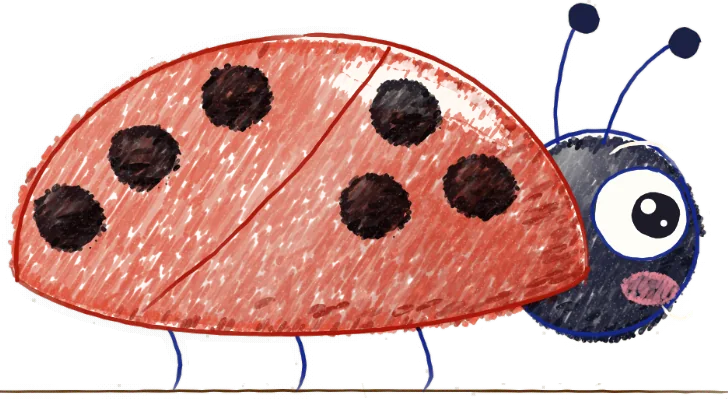
Spots is our app for iPhone and iPad. It teaches every table from 1 to 10 with the same ladybug, badges and short picture stories, then shows you exactly which of the 55 facts your child knows.
Try the whole app free for 2 weeks. No ads, no account.